← Tactical Graphics Commercial add-on · Early access

The planners' graphics, native in WinTAK and ATAK

The TAK add-on puts the open source library inside WinTAK and ATAK. Every graphic looks the way it does on the web, is drawn and edited with the web app's own tools, and stays in step with the web app and every other plugin client through a TAK Server mission: an edit at one end is the same graphic at the others within seconds.

323
graphics drawn in WinTAK and ATAK as on the web
Two-way
draw, edit and delete at any end
0
changes to your TAK Server

Captured in WinTAK 5.8 and ATAK 5.8

Each picture is WinTAK or ATAK with the add-on's plugin loaded, drawing from the same library as the web app. Click one to enlarge it.

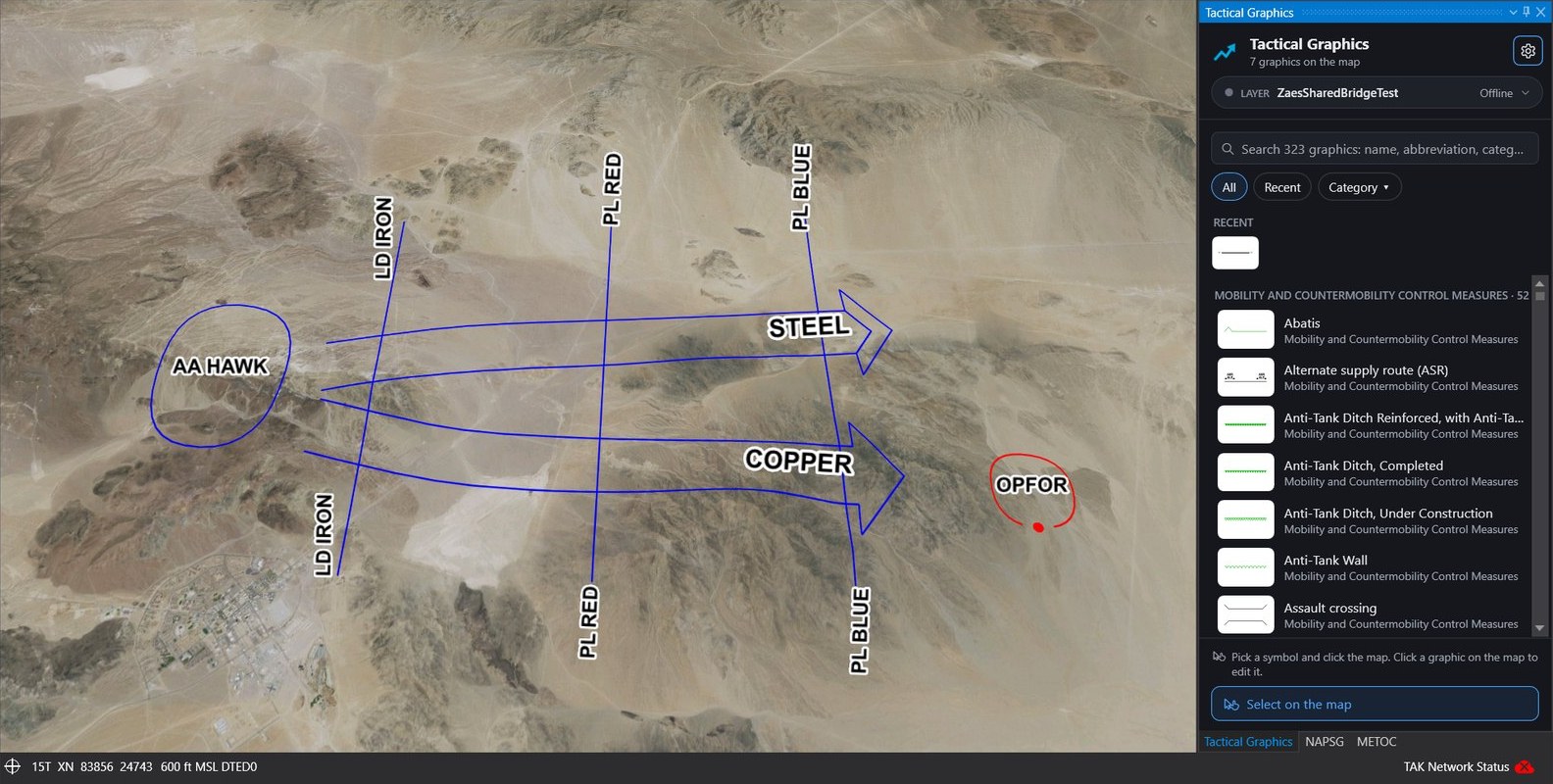
WinTAK showing an assembly area, a line of departure, two phase lines, two axes of advance labeled STEEL and COPPER and an enemy battle position, with the Tactical Graphics pane open on the right

The plan, in WinTAK

Line work, arrowheads, teeth, hatches, dashes, labels and halos come from the same library as the web app, so a graphic reads the same in both.
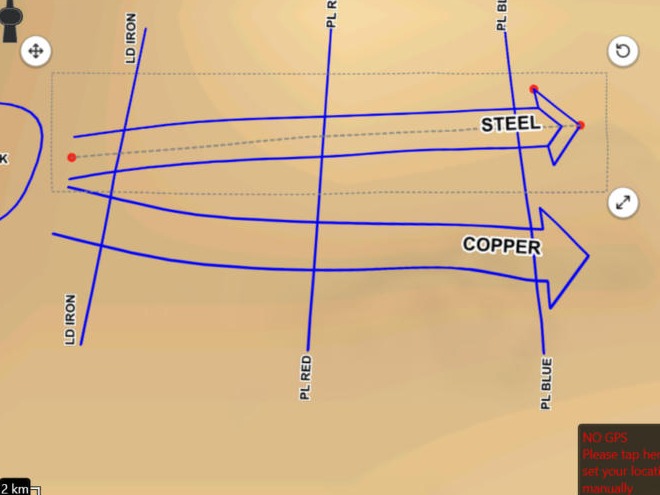
An axis of advance selected in WinTAK with red handles, a dashed outline and move, rotate and resize buttons

The web app's editor, on WinTAK's map

Click a graphic and it shows the same handles and Move, Rotate and Resize buttons as in the browser. Each handle does what it does there.
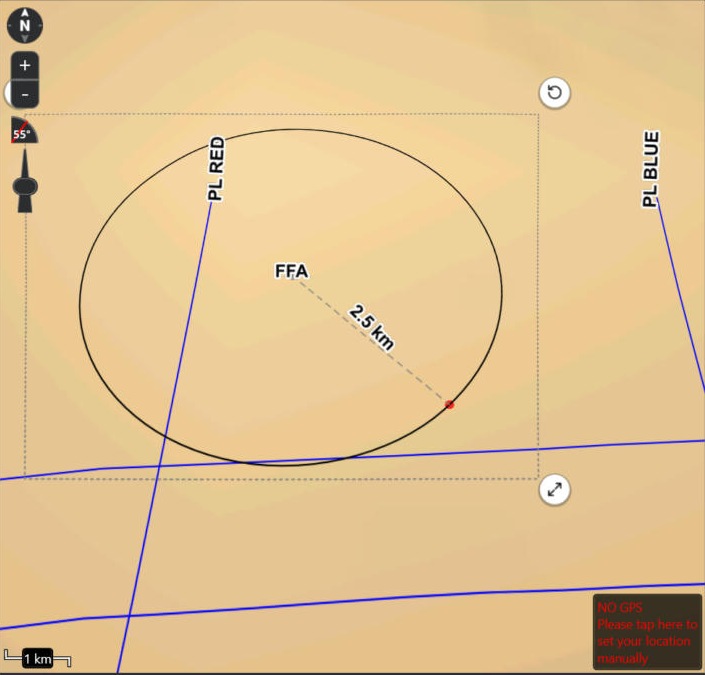
A circular free fire area being resized in WinTAK, with a 2.5 km radius read-out along a dashed line

Measure as you size

A circle's radius, a range ring or a fan's band is read out while it is dragged, as on the web.
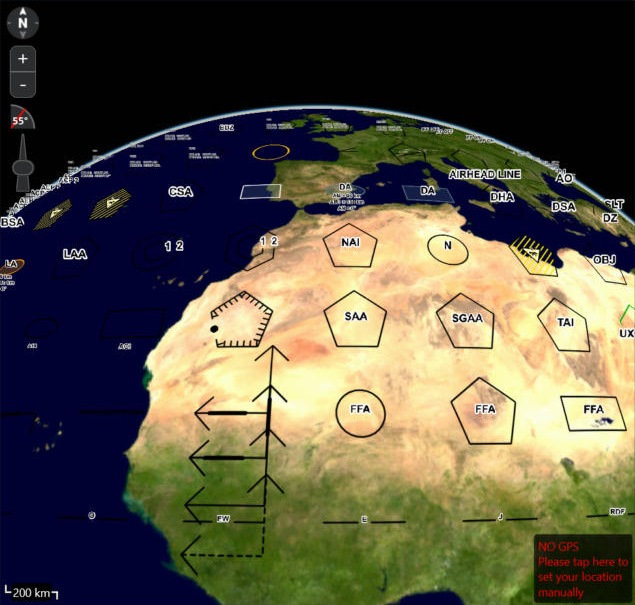
WinTAK's globe covered with the library's sample sheet of tactical graphics over Africa and Europe

Every graphic of the library

All 323 graphics draw in WinTAK, and the add-on is checked against the web app's drawing of each one.
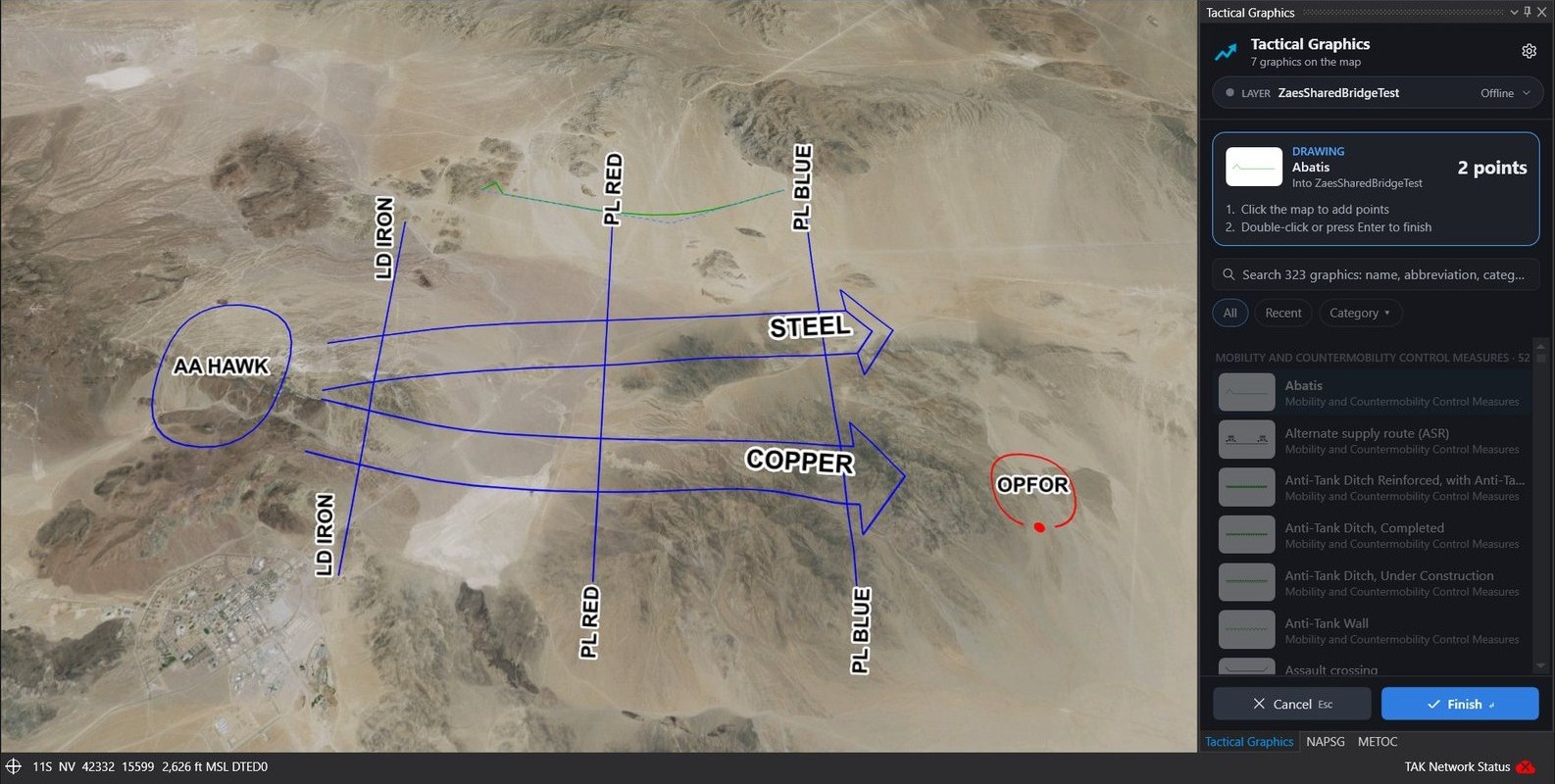
WinTAK drawing an abatis across the plan, with the pane's drawing card showing Abatis, 2 points, the steps, and Cancel and Finish

Pick a graphic and draw

A click in the pane's list starts drawing, with the clicks the web app takes. A card counts the points and gives the steps; Enter finishes and Esc cancels.
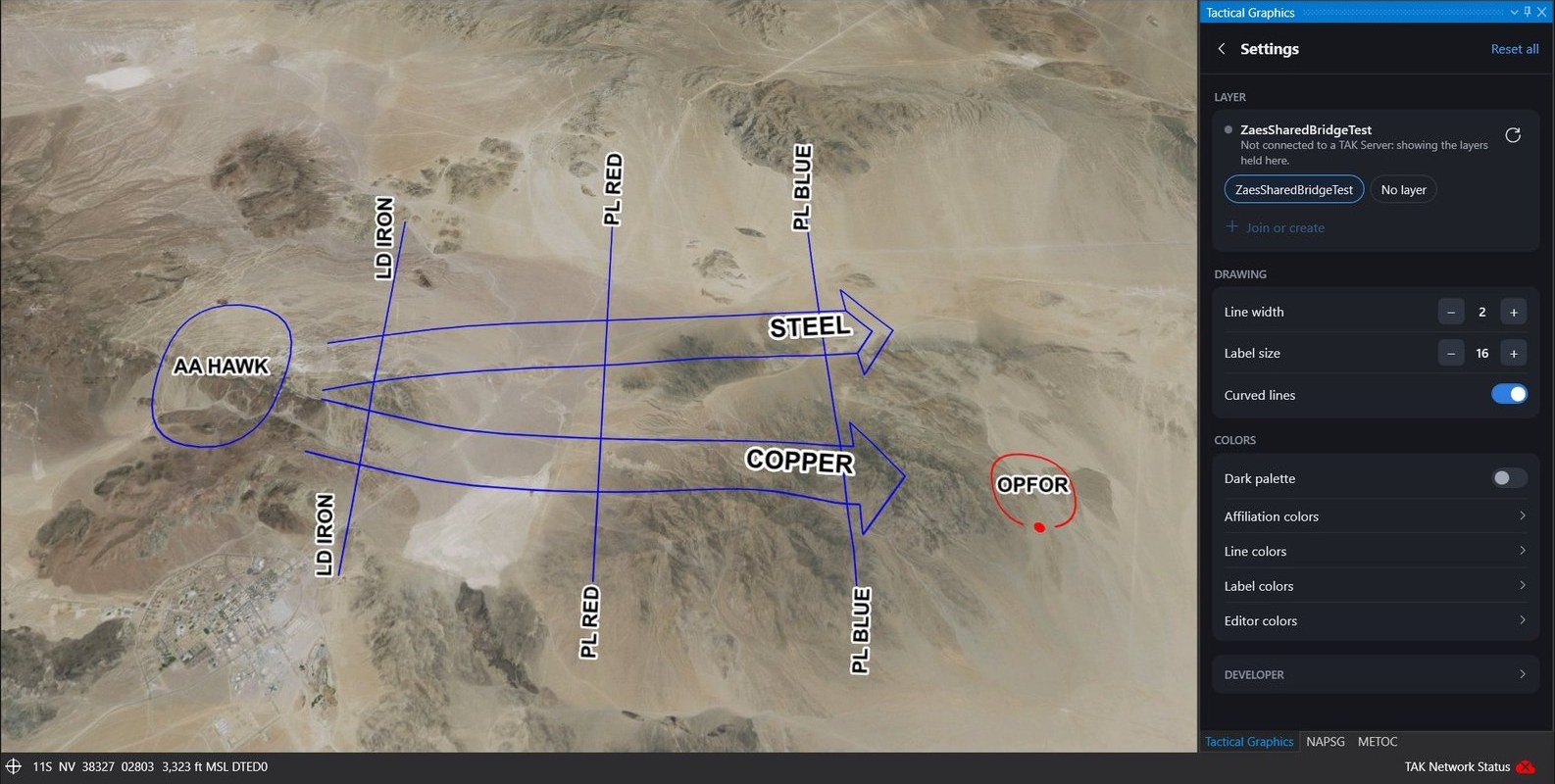
WinTAK with the Tactical Graphics pane's Settings open: a layer card, line width, label size, curved lines, dark palette and the color groups

The web app's settings

The layer to draw into, then line width, label size, curved lines and every color, as the web app offers them, saved beside the plugin.
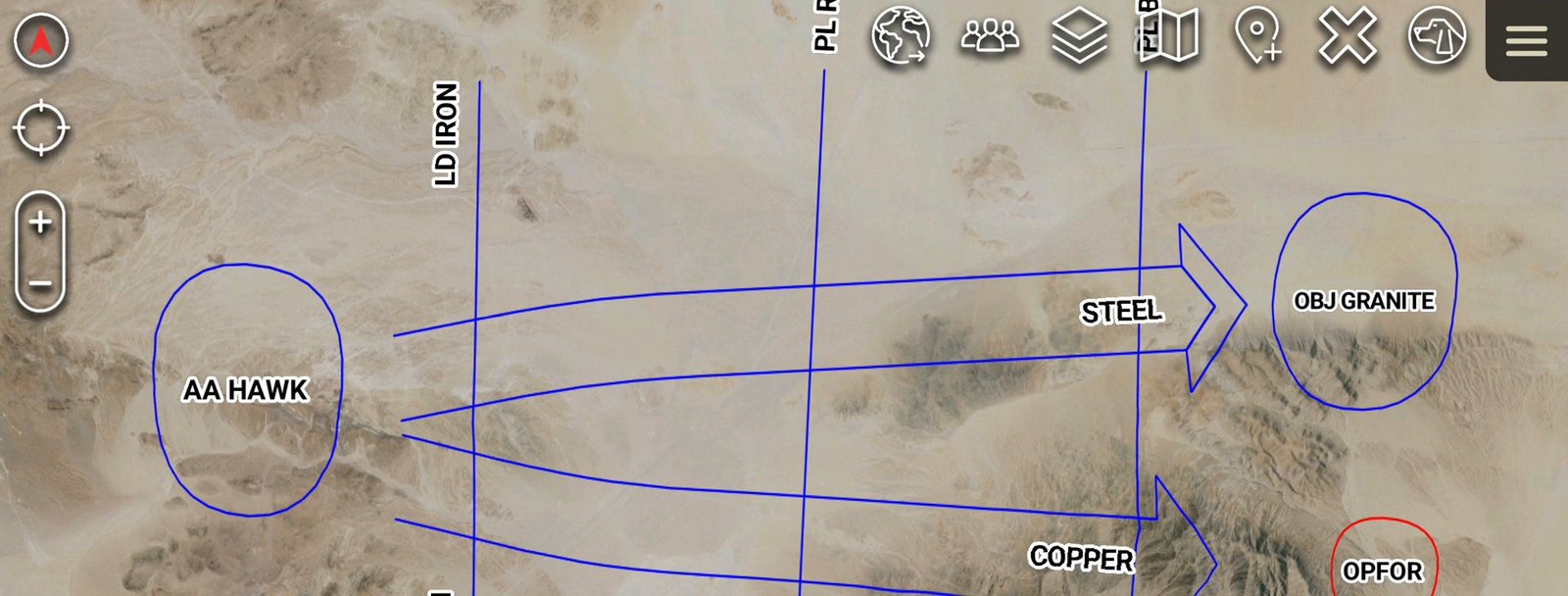
ATAK showing an assembly area AA HAWK, a line of departure, phase lines, two axes of advance labeled STEEL and COPPER, objective GRANITE and an enemy position over desert imagery

The same plan, in ATAK

The ATAK plugin carries the same library, so the graphics on a phone or tablet read the same as in WinTAK and the browser.
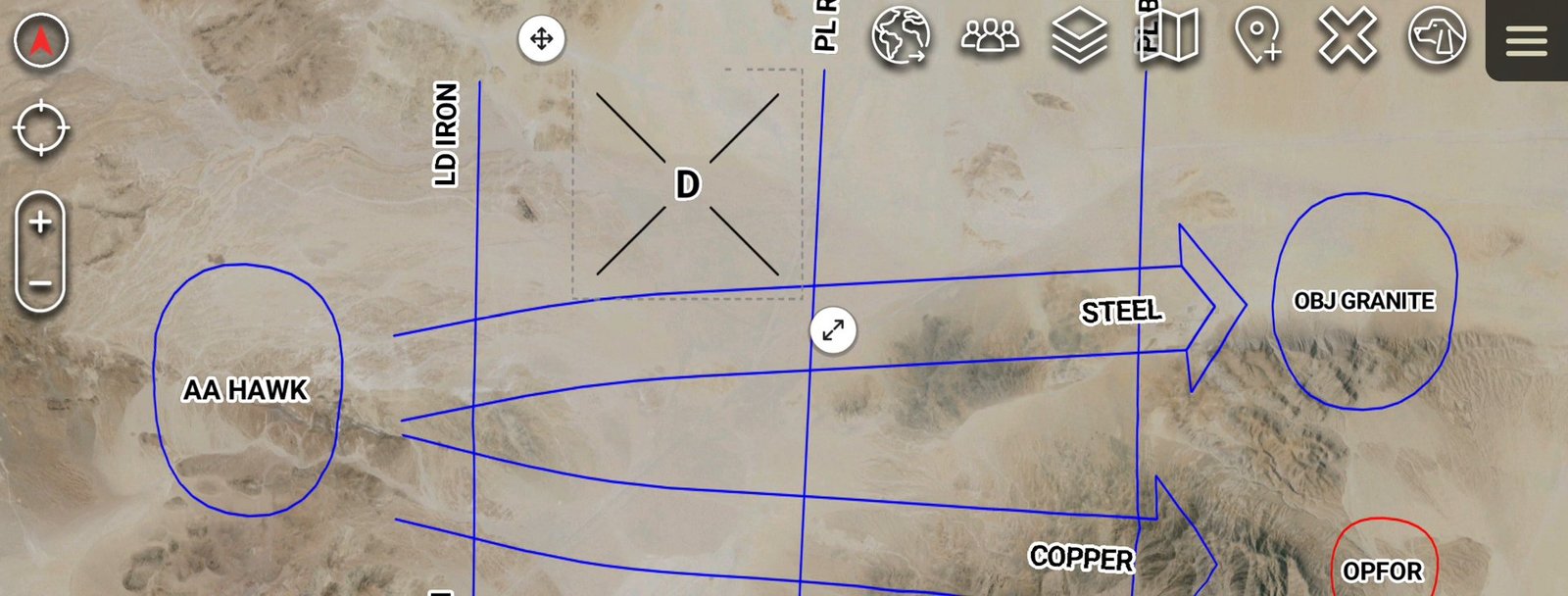
A Destroy mission task selected in ATAK, with a dashed outline and move and resize buttons, beside the axes of advance

Drawn and edited by touch

On ATAK the web app's editor takes a finger: the same clicks to draw a graphic, the same outline and buttons to move and size it.
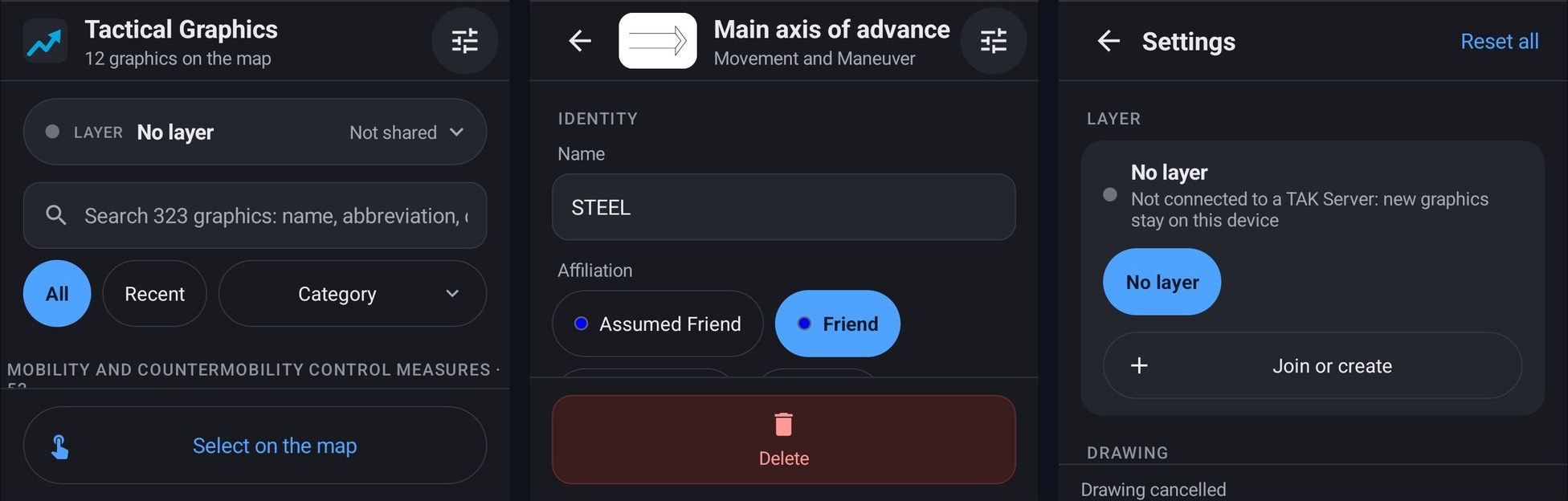
Three views of the Tactical Graphics pane in ATAK: the symbol picker with a layer chip, search and category chips; a main axis of advance selected with its name and affiliation; and Settings with the layer card and Join or create

One pane, in WinTAK and ATAK

WinTAK and ATAK share one pane design. Search the graphics by name, abbreviation or category, or pick from Recent, and a click starts drawing it with the same clicks the web app takes, while a card counts the points placed. Select a graphic and its properties are in the pane, applied as you make them. The layer to draw into, Join or create, and every setting are a tap away.

Capabilities

  • All 323 graphics of the library drawn in WinTAK and ATAK by the library itself, checked side by side against the web app at several zooms and on a turned map.
  • Drawing and editing with the web app's own tools: the clicks each graphic takes, its handles, the Move, Rotate and Resize buttons, and size read-outs.
  • One pane in WinTAK and ATAK: search, category chips and Recent, a drawing card with the point count, Cancel and Finish, and Select on the map. On ATAK it is made for a finger, with every color setting WinTAK has.
  • The web app's properties in the pane: designation and other amplifiers, affiliation, dates, altitudes and range bands, applied as they are made, with an end before its start refused on the spot.
  • Two-way through TAK Server: graphics drawn, edited or deleted in the web app, WinTAK or ATAK reach the others within seconds. Each one travels as what it is, not as a drawing, so it stays one graphic at every end.
  • Layers are TAK Server Data Sync missions. Create or join one from the web app, WinTAK or ATAK; a client that joins later gets the graphics already in it. Each layer is its own group in WinTAK's Overlay Manager.
  • A bridge holds the TAK client certificate, so the browser never sees it. It runs on a workstation, or hosted in a container where a token and a fixed TAK Server keep it to your web app. It also joins layers made in WinTAK or ATAK.
  • For TAK clients without the plugin, such as iTAK and WebTAK, the web app can push the plan as plain Cursor on Target shapes in doctrinal colors, or export CoT files, which any TAK client shows as they are.

Requirements

  • WinTAK 5.8 on Windows 10 or 11, 64-bit. No Data Sync plugin is needed in WinTAK.
  • ATAK-CIV 5.8 on Android, checked on 5.8.0.8. For the Play Store ATAK, each release is signed through the TAK Product Center's third-party plugin process, one signed build per ATAK version.
  • TAK Server 5.8 with Data Sync, reached over TLS with client certificates. WinTAK, ATAK, TAK Server and their certificates are provided by you.
  • For the bridge: Node.js 22, or Docker. For the web app: @zaes/tactical-graphics 4.6.1 or later.
  • The two-way plugins are for WinTAK and ATAK. iTAK and WebTAK show the pushed CoT shapes without a plugin.

Delivery and licensing

The WinTAK plugin is delivered as a folder you copy into WinTAK's plugins folder, the ATAK plugin as an APK, and the bridge as a single file for Node.js or a container image, all alongside the open source @zaes/tactical-graphics library. It is commercial software, licensed separately from the MIT library. Evaluation licenses and integration support are available.

Evaluating the TAK add-on for a program?

Tell us about your TAK environment, deployment constraints and operator workflow, and we will set up an evaluation.