Drawing and editing
@zaes/metoc/editor draws and changes graphics on any renderer. The gesture rules are written once, in MetocInteraction, and reach a map through one seam, MetocMapHost, which both renderers implement.
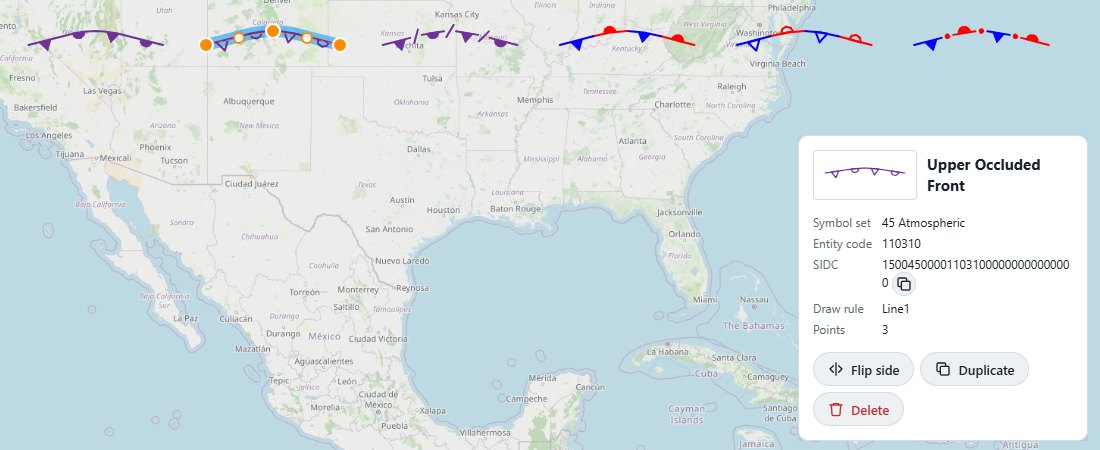
Attaching an editor
import {MetocHistory, MetocInteraction, attachMetocEditor} from '@zaes/metoc/editor';

const editor = new MetocInteraction(collection, renderer.view);
const history = new MetocHistory(collection);
editor.subscribe((e) => e.type === 'commit' && history.checkpoint());

const detach = attachMetocEditor(renderer, editor);
// later: detach();
attachMetocEditor forwards the renderer's pointer and key events to the editor and paints the editor's handles back on the map. A renderer that implements MetocMapHost gets editing with no other work.
Drawing
editor.startDrawing(MetocGraphicName.OccludedFront);
editor.startDrawing(MetocGraphicName.IsobarSurface, {value: '1008'});- Lines and areas: click to place points, double-click or press Enter to finish, Escape to cancel, Backspace to take back the last point.
- Points finish on their own click. The wind barb takes two: its station, then its direction.
- An area whose outline would cross itself cannot be finished. The editor emits
rejectedwith the reason and keeps drawing.
The editor emits drawend with the new graphic's id.
Changing a graphic
Click a graphic to select it. Then:
- drag a handle to reshape it, or a
+handle between two points to insert one; - drag the graphic to move it, or nudge it with the arrow keys;
- Ctrl+D duplicates it, Delete removes it;
- a point symbol has a resize handle that steps through small, medium and large, and a rotate handle when
allowPointRotationis on. A wind barb's rotate handle at its shaft tip sets its direction.
An unfilled area is picked by its outline only, so a large area does not swallow every click inside it; a filled one is picked from inside too.
Undo and redo
MetocHistory snapshots the collection at checkpoints. The editor emits commit at the end of each gesture, so a drag is one step and a click that moved nothing is none.
history.undo();
history.redo();
history.canUndo; history.canRedo;
If your page edits properties with a debounce (a typed value, say), record that edit before the next action, or undo will skip it.
Options
new MetocInteraction(collection, renderer.view, {
    snapPx: 10,                       // snap onto another graphic's point, so fronts meet at a low
    allow: {rotate: false},           // forbid single actions; their handles are not shown
    beforeChange: (change) => true,   // veto any change, during a drag too
    readOnly: false,
    keyboard: true,
});
The handle colours come from the configuration (handleColor, selectionColor and the others in Configuration).
A properties dialog
import {getMetocFields} from '@zaes/metoc/editor';

getMetocFields(MetocGraphicName.Isotherm);
// {value: {label: 'Temperature (°C)', placeholder: '-10'}, dtg: false, color: null, dashed: false, filled: false, size: false, wind: false, station: false}
getMetocFields(name) tells a dialog which inputs a graphic offers: the value and what to call it, the date-time label, a colour where the standard leaves it open, dashing, the Area2 fill, the size, the wind, the station plot's observation. The dialog then needs no rule of its own. Show names with getMetocDisplayName(name), never the enum key.